
Douyin is the Chinese version of TikTok and it is only available in the Mainland China app stores. Follow this guide to install the app safely on iPhone and Android devices outside of China.
After installation, you can learn how to copy video links to download videos.
Install Douyin on iPhone
You need to switch your Apple ID region to Mainland China before Douyin appears in the App Store.
- Open the App Store and tap your profile picture in the top-right corner.
- Choose Apple ID > Country/Region > Change Country or Region.
- Select "Mainland China", agree to the terms, and fill in the basic billing details.
- After the region update, search for "抖音" (Douyin) in the App Store.
- Tap "Get" to download and install the app.
- Once installed, you can sign back into your primary Apple ID and keep Douyin on your device.
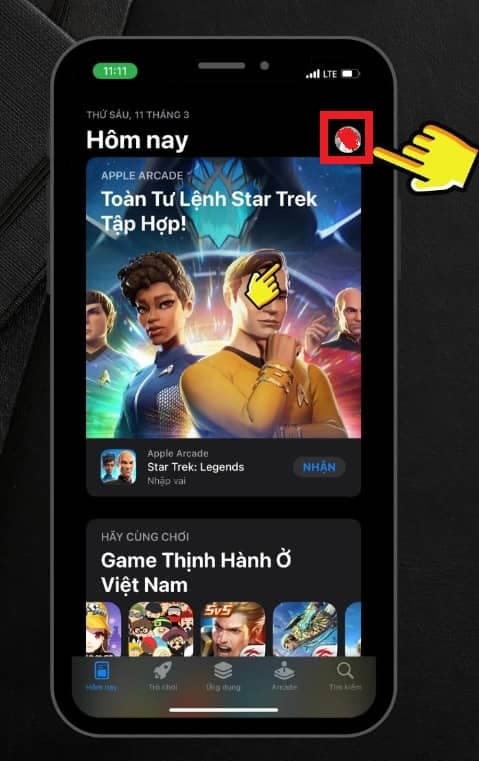
Step 1: Open the App Store and tap your profile avatar.
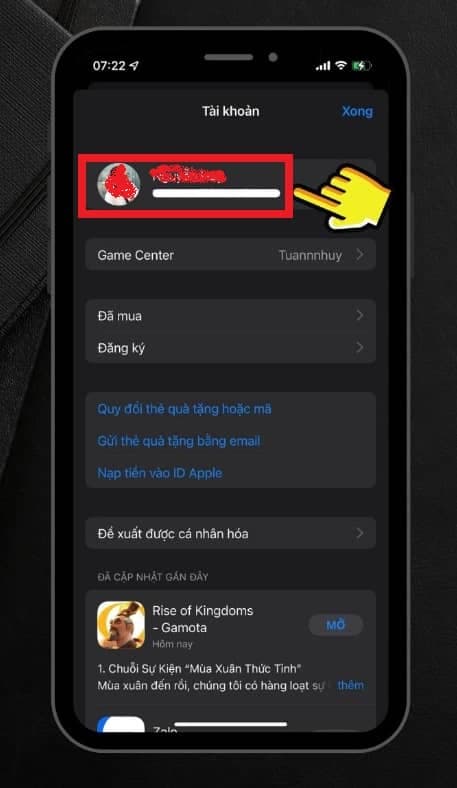
Step 2: Open Apple ID details to access Country/Region settings.
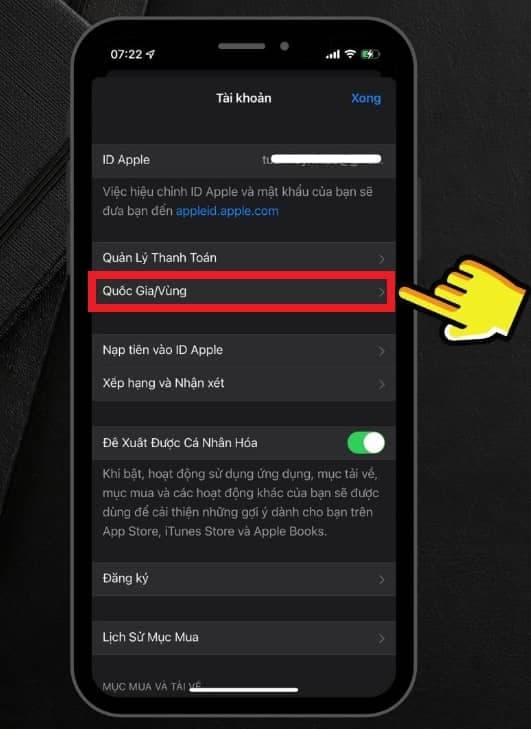
Step 3: Choose Country/Region to begin changing your locale.
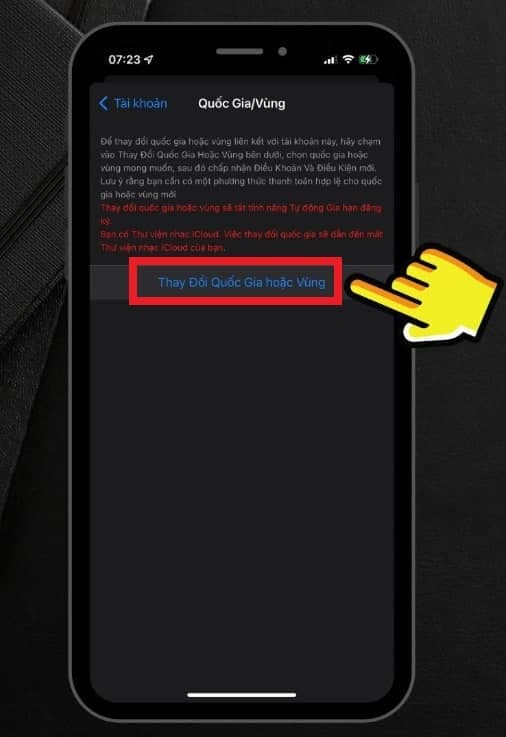
Step 4: Tap Change Country or Region.
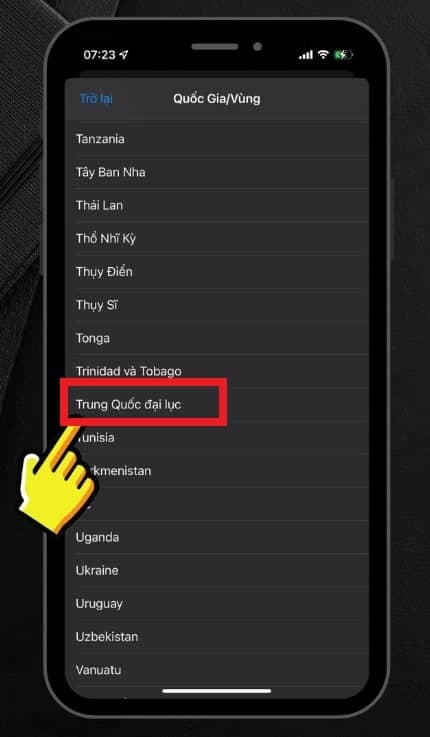
Step 5: Select Mainland China and accept the terms.
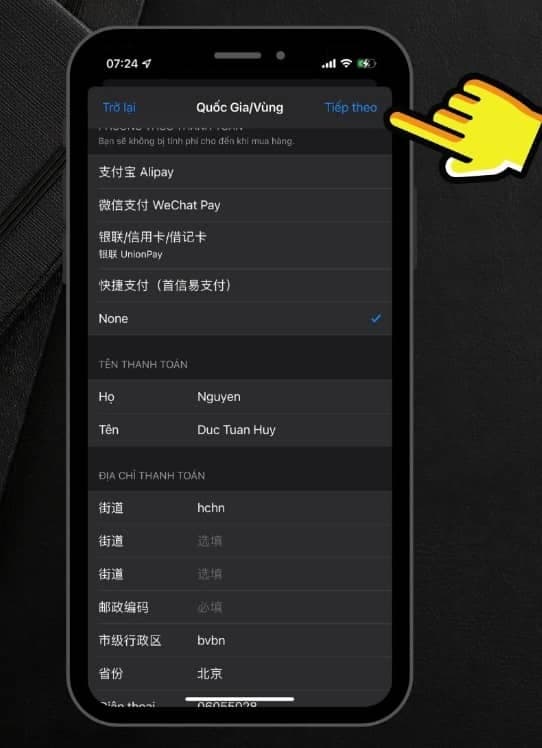
Step 6: Enter basic billing information and continue.
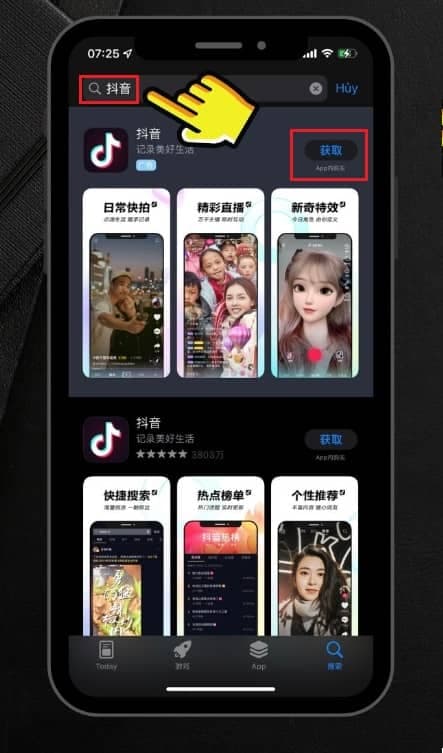
Step 7: Search for Douyin and tap Get to install the app.
For future updates, sign back into the China-region Apple ID, open App Store > Purchased, and update Douyin from there.
Install Douyin on Android
Because Google Play outside China does not list Douyin, you need to download the APK from the official website.
- Open https://www.douyin.com/ in your mobile browser.
- Tap the Android download button to get the latest APK.
- Allow the browser to save the file if prompted and wait for the download to finish.
- Open the downloaded APK, enable "Install unknown apps" if requested, then tap Install.
- After installation, open Douyin and sign in with your phone number, email, or a linked account.
- Check in-app updates regularly to stay on the latest version.
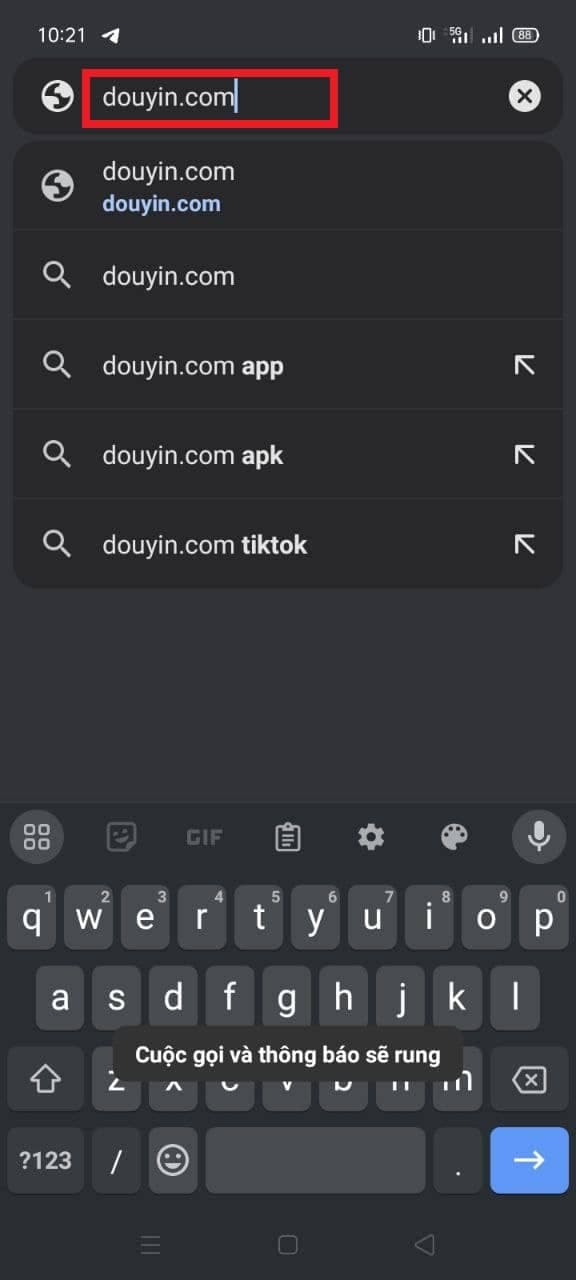
Step 1: Visit douyin.com and tap the Android download button.

Step 2: Confirm the download request from the official site.
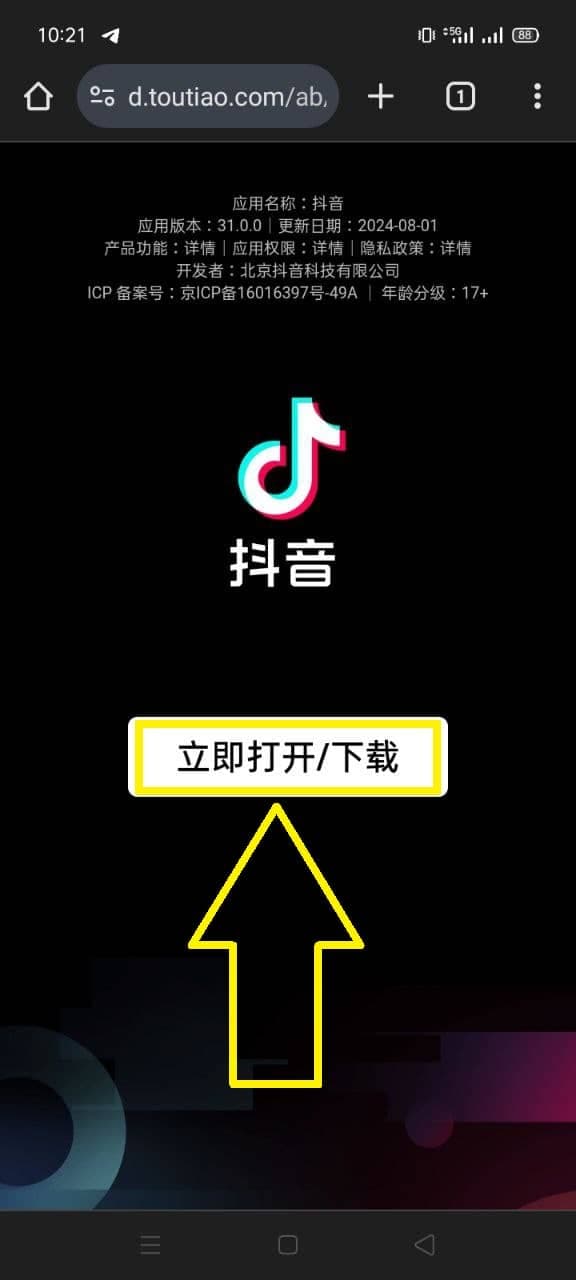
Step 3: Wait for the APK file to finish downloading.
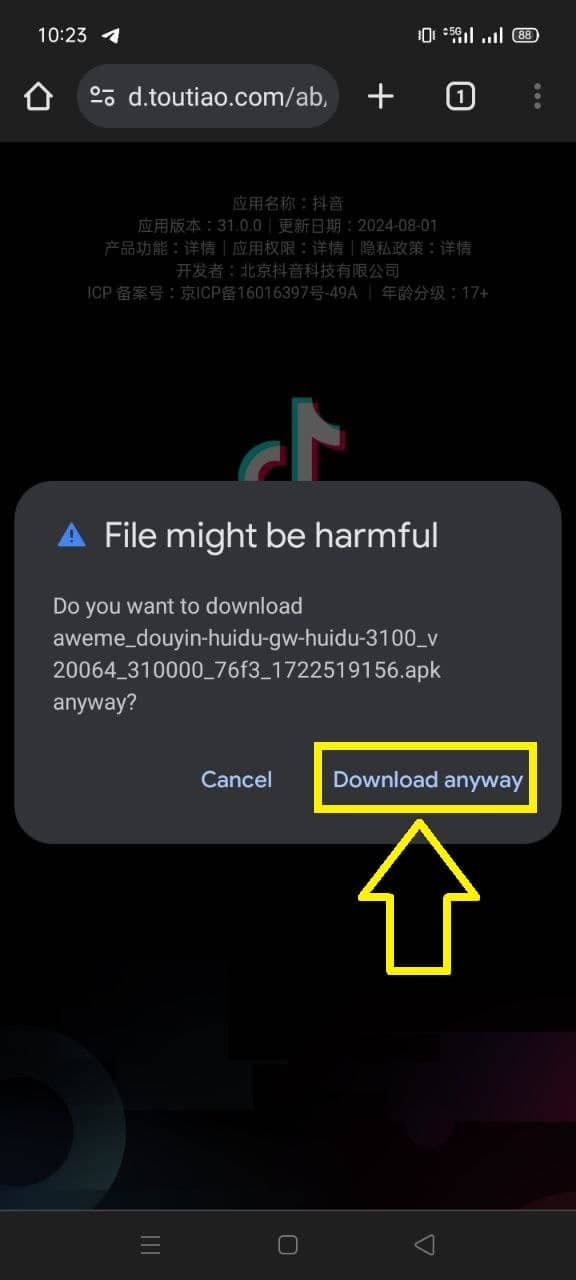
Step 4: Open the APK and allow installation from unknown sources if required.
Always download Douyin from douyin.com or major Chinese app stores to avoid malware risks.
Helpful tips
- Free up at least 1 GB of storage because Douyin caches short videos locally.
- If some videos are geo-blocked, use a VPN with a Mainland China server.
- Change the interface language via Profile > Settings > Language when needed.
- Enable two-factor authentication on the linked email or phone number for extra security.
Enjoy Douyin anywhere
With the right region and APK steps, you can install Douyin on any iPhone or Android device—even outside China. Save this guide to help friends when they need it.
Next step
After installing the Douyin app, learn how to copy video links:
>> Guide to Copy Douyin Video Links