
How to Copy Douyin Video Link on iPhone, Android and PC
If you come across an engaging video on Douyin and want to share it with friends or on other platforms, you need to copy the video's link. In this article, we'll guide you through how to copy Douyin video links on iPhone, Android, and PC in a simple and quick way.
1. How to Copy Douyin Video URL on iPhone and Android
Copying Douyin video links on iPhone or Android smartphones is quite simple. Follow these steps:
- Open the Douyin app on your device.
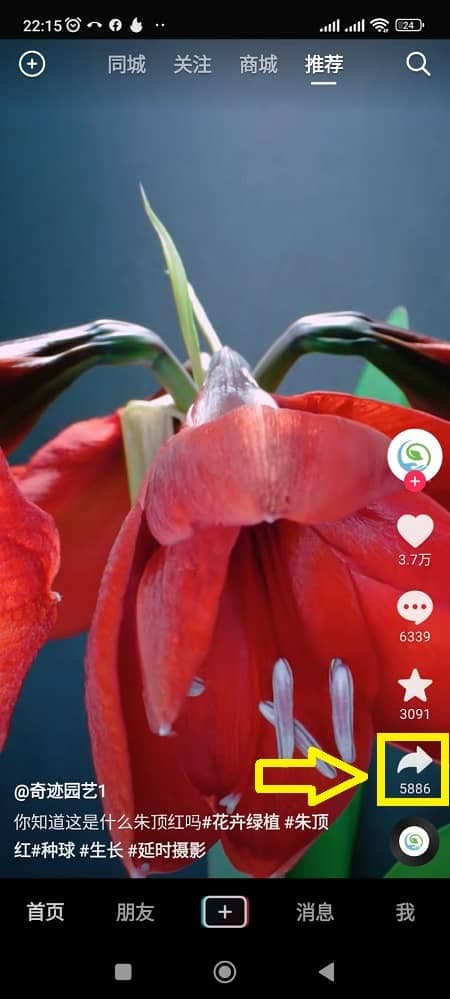
- Tap the "Share" button (arrow icon) on the right-hand toolbar.
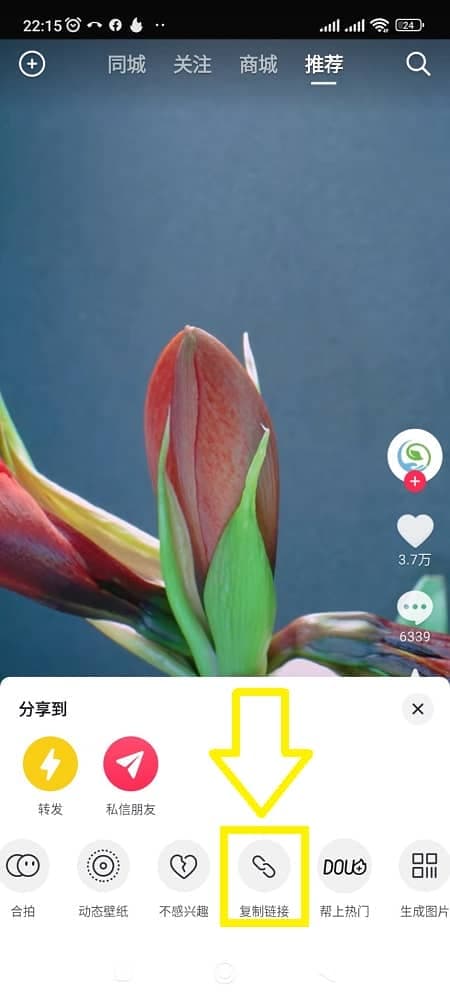
- Choose "Copy link" to save the URL to your clipboard.
2. How to Copy Douyin Video Link on PC
Copying Douyin video links on a computer is also very easy. Follow the steps below:
- Open your browser, go to douyin.com, and locate the video.
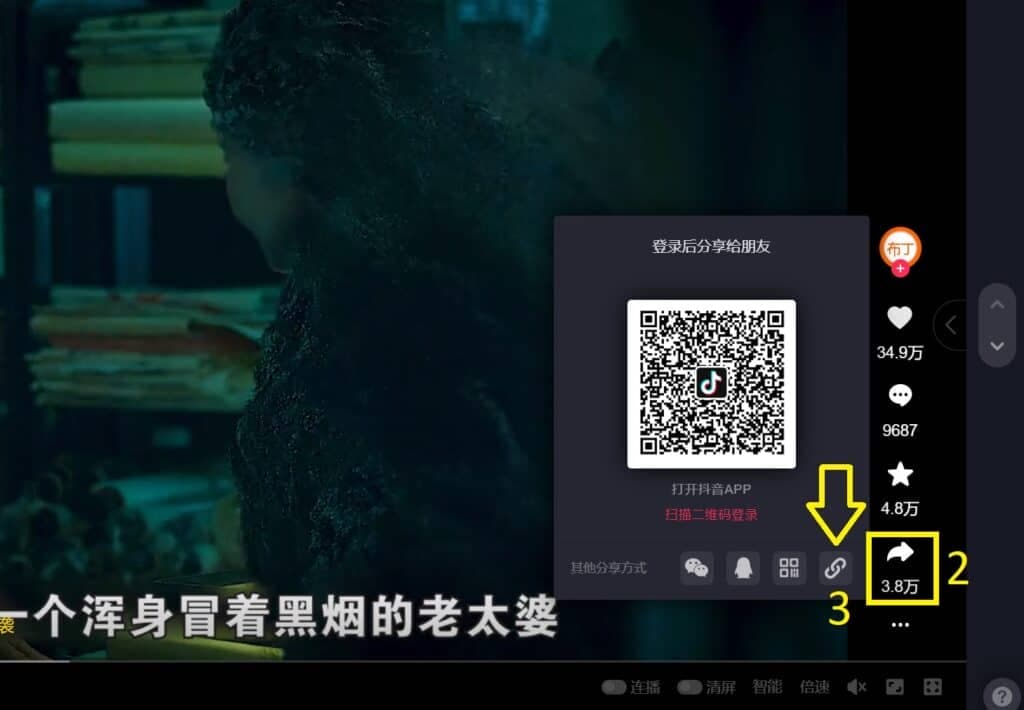
- Hover over the "Share" button (arrow icon) at the bottom right of the video.
- Click "Copy link" to copy the URL to your clipboard.
Conclusion
Whether you use a mobile device or computer, copying Douyin video links is very simple. Try it now to discover interesting videos on this platform!
Need to install Douyin app?
If you don't have the Douyin app on your phone yet, check out our detailed installation guide:
>> 📱 Guide to Download Douyin on iPhone & Android